
Run of show
One list. Every vendor sees the exact same one.
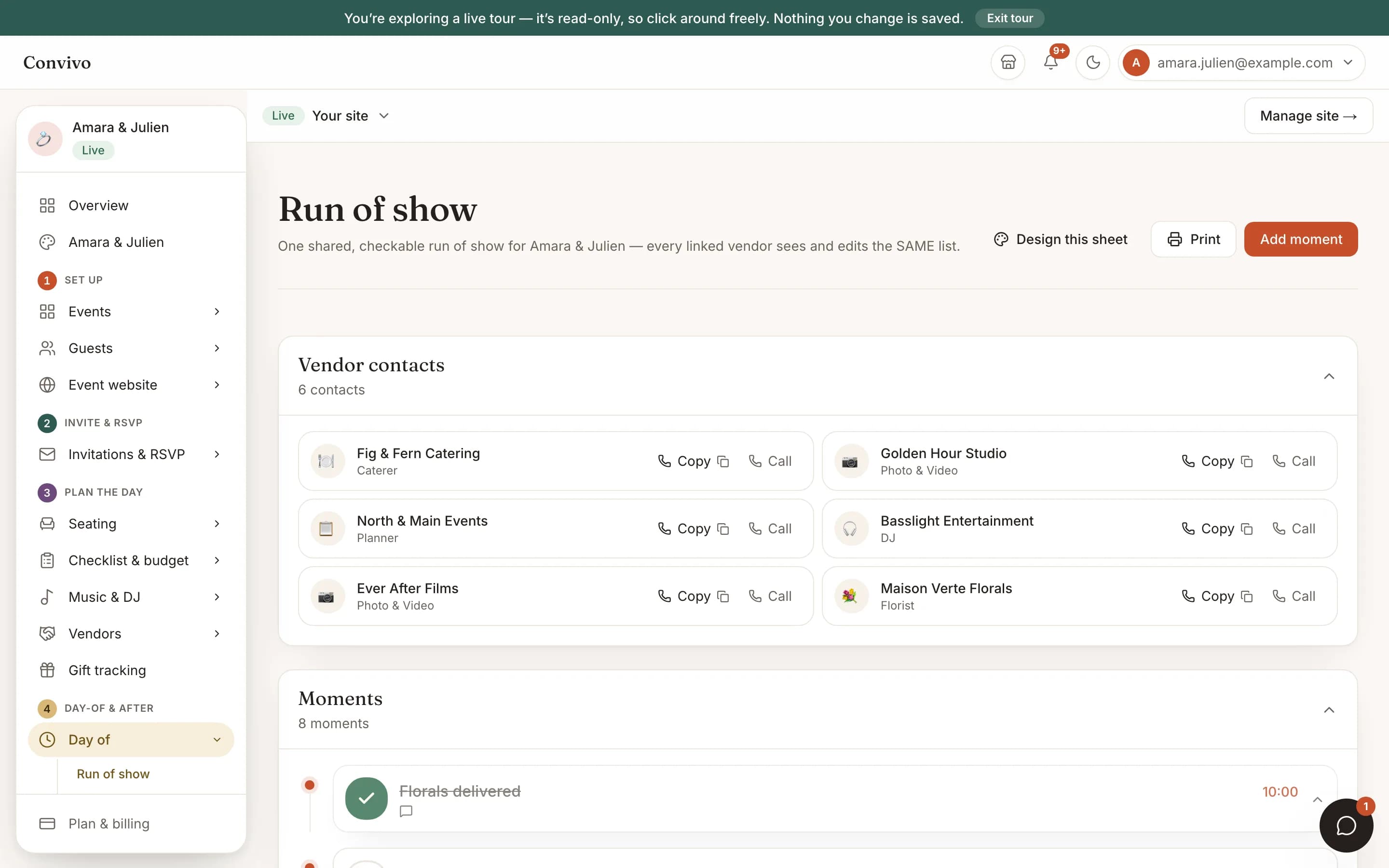
A single, checkable day-of timeline that you and every vendor linked to your event both see and edit: florals delivered, catering setup, sound check. No spreadsheet emailed around, no versions to reconcile.
- One shared, checkable moment-by-moment timeline
- Every linked vendor sees and edits the exact same list
- Print it, or hand a vendor their own contact card
How it works
Three steps, start to finish.
Build your timeline
Add each moment with a time and a note: florals delivered, first dance, last song.
Vendors see it when they open it
Every vendor linked to your event can open the same list and check off what they own; there is no separate copy to keep in sync.
Check things off as the day runs
Mark a moment done as it happens, or print the whole sheet as a backup.
Straight from the product
The screen itself, unretouched.
The illustration at the top of this page was built from this exact capture, down to the labels and the counts.
What it connects to
Run of show does not work alone.
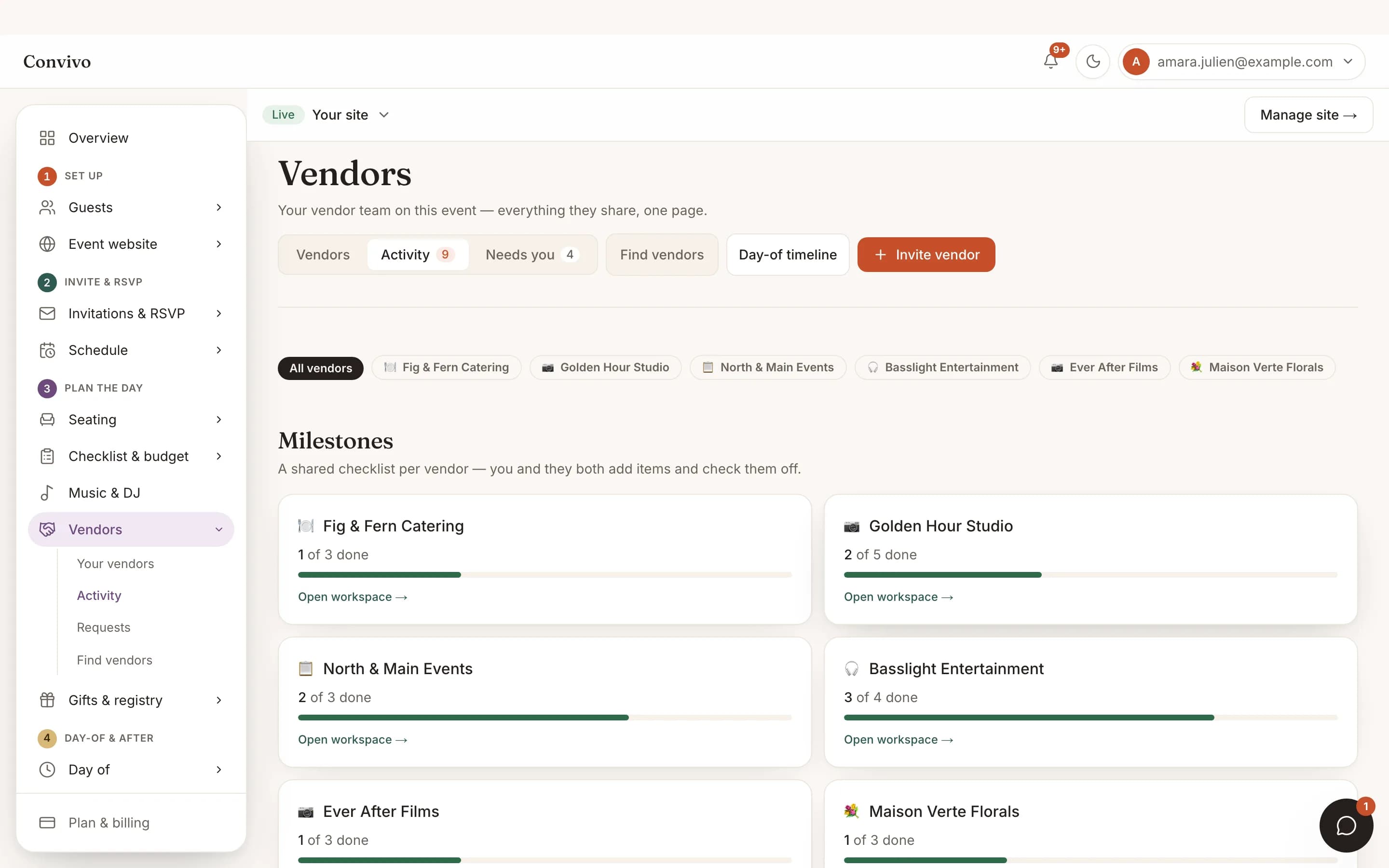
Vendor collaboration
The same vendors you invite to collaborate are exactly who can see and check off this list.
See Vendor collaboration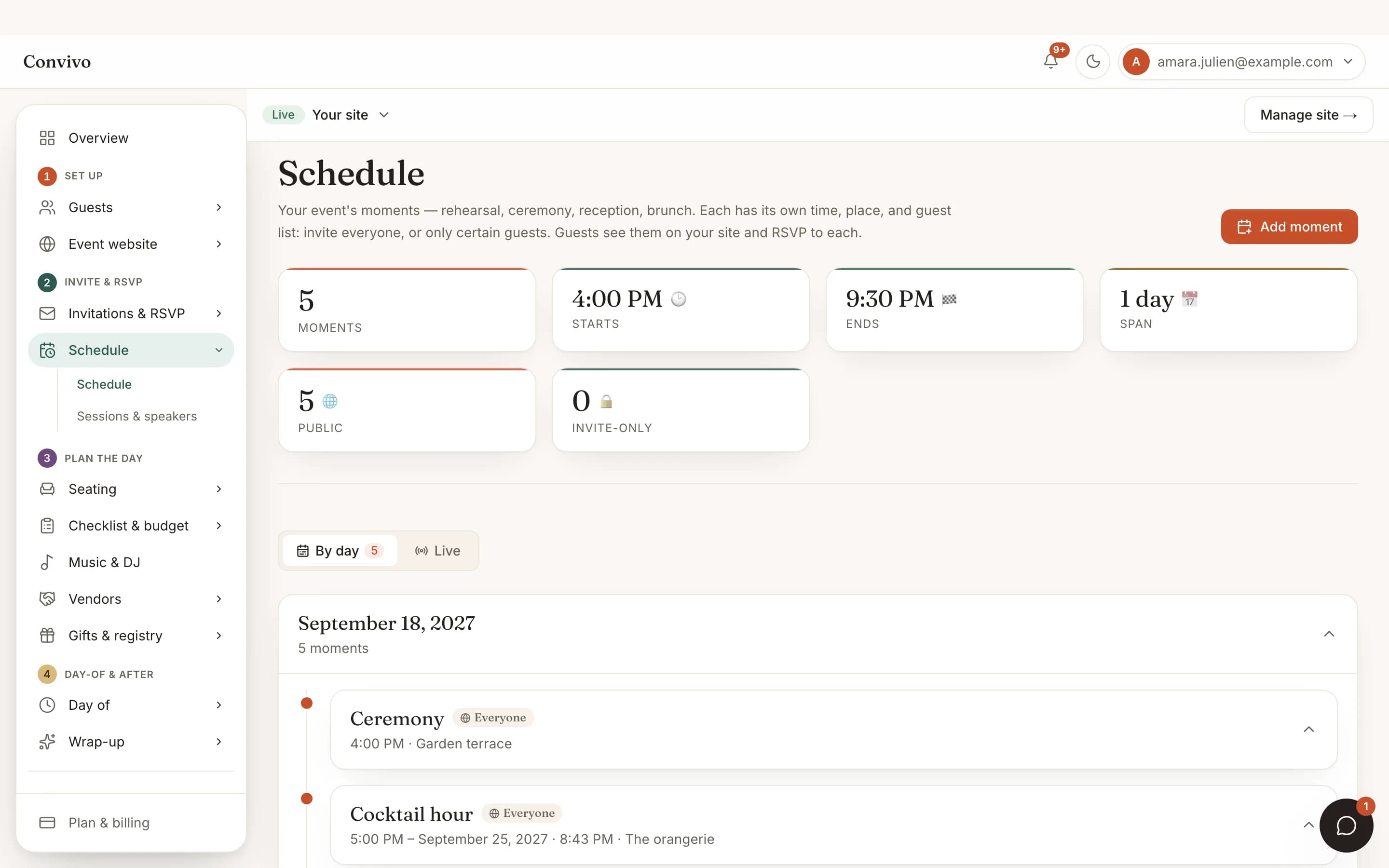
Schedule & moments
Schedule is what your guests see; Run of show is the operational list only your team and vendors use.
See Schedule & moments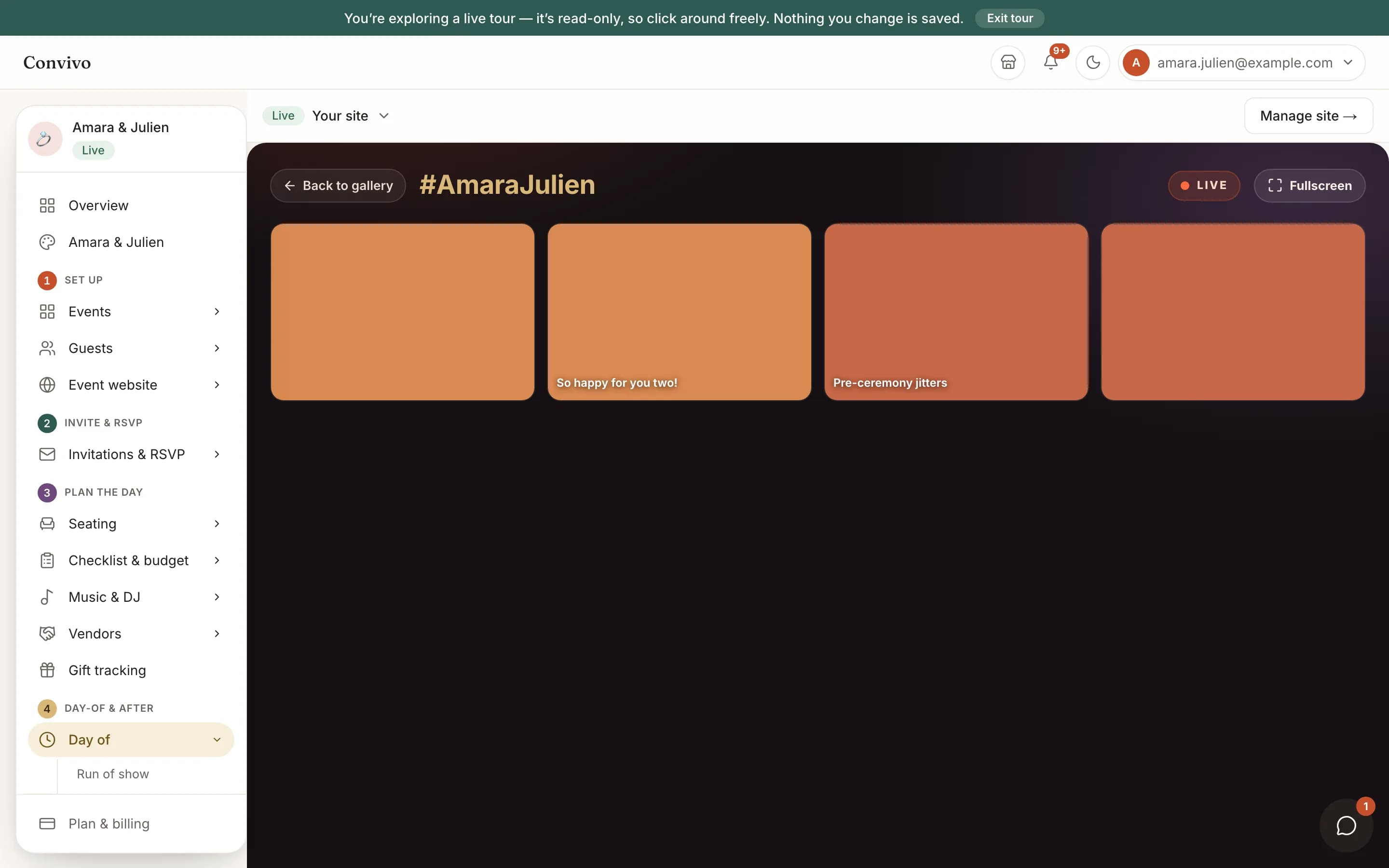
Party mode
Once the last moment is checked off, the reception is exactly when Party Mode goes up on the screen.
See Party modeHonest answers
Frequently asked
Do vendors need an account to see this?
They see it through the same link they already use to collaborate on your event, no separate login.
Does a vendor get notified the moment something changes?
No. A vendor sees the current list whenever they open it; there is no alert sent for every edit.
Is this the same as the schedule guests see?
No. Schedule is guest-facing; Run of show is a separate, operational checklist for you and your vendors.
Can I print it as a backup?
Yes, a print-ready version is one click away.
Ready to put this to work?
Start free, and this exact page fills in with your own event.