
Guest list
Every guest, one list, no spreadsheet.
Add guests by hand or import a spreadsheet. Convivo groups matching addresses and last names into households automatically, and you can tag anyone who needs extra care: kids, plus-ones, dietary notes.
- Import a CSV or add guests by hand
- Automatic household grouping
- Tags for dietary needs, kids and plus-ones
In motion
See it in motion
A short, silent capture of the real product. No sound needed.
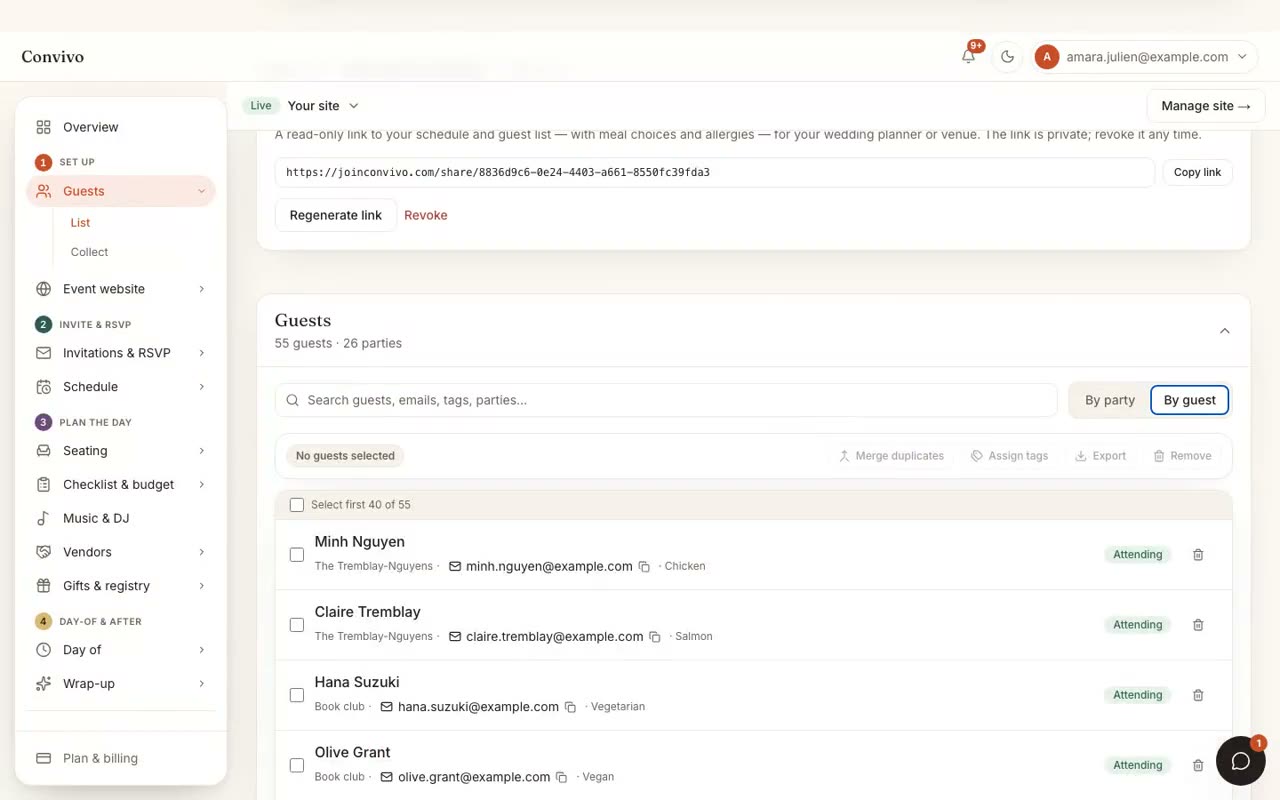
How it works
Three steps, start to finish.
Import or add by hand
Bring a spreadsheet you already have, or start from scratch.
Households form automatically
Matching last names and addresses group into a household, which you can always adjust.
Tag what matters
Dietary notes, kids, plus-ones: tag anyone who needs extra care so it's never forgotten.
Straight from the product
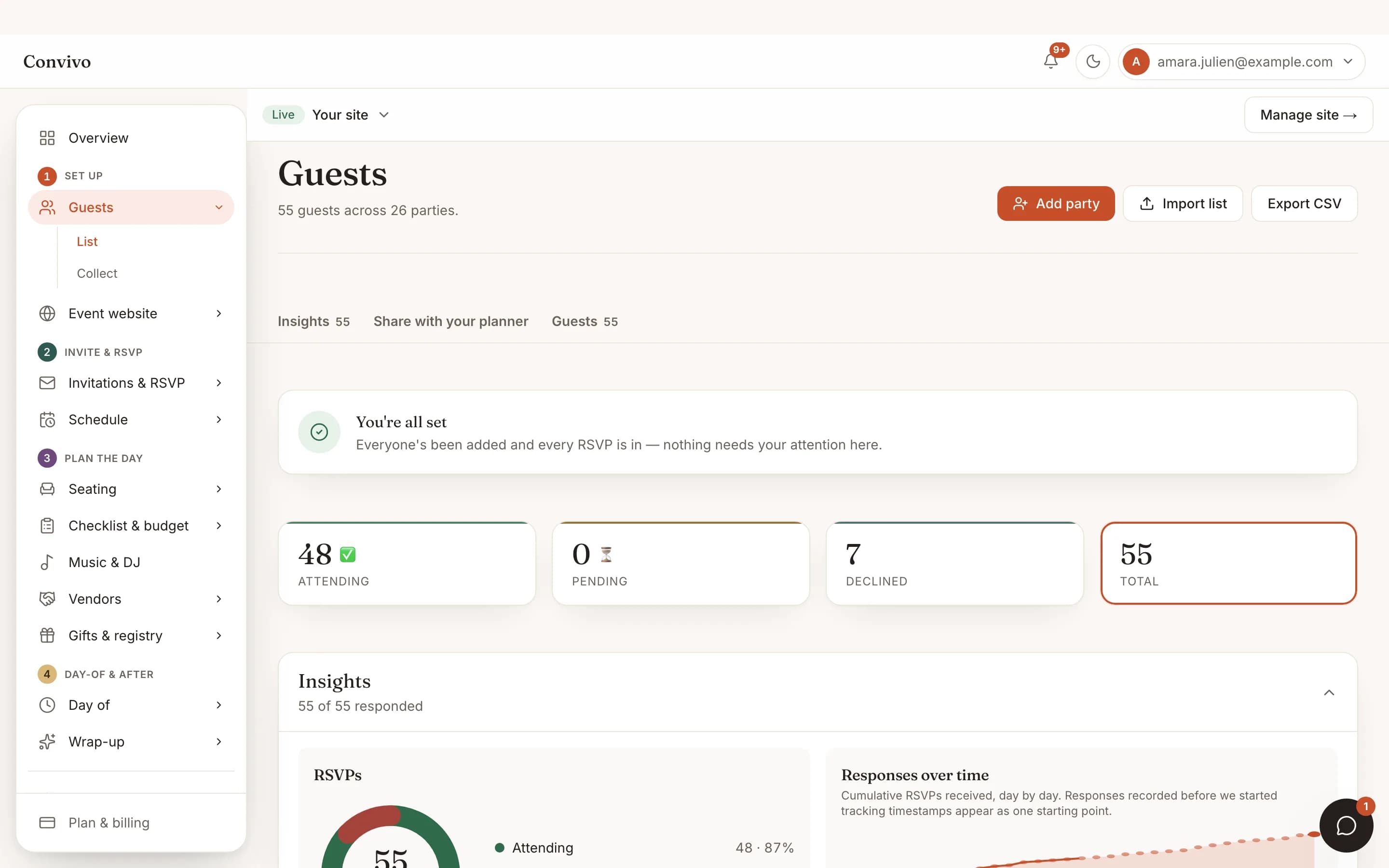
The screen itself, unretouched.
The illustration at the top of this page was built from this exact capture, down to the labels and the counts.
What it connects to
Guest list does not work alone.
No-login RSVP
The list you build here is exactly what your guests are replying to.
See No-login RSVP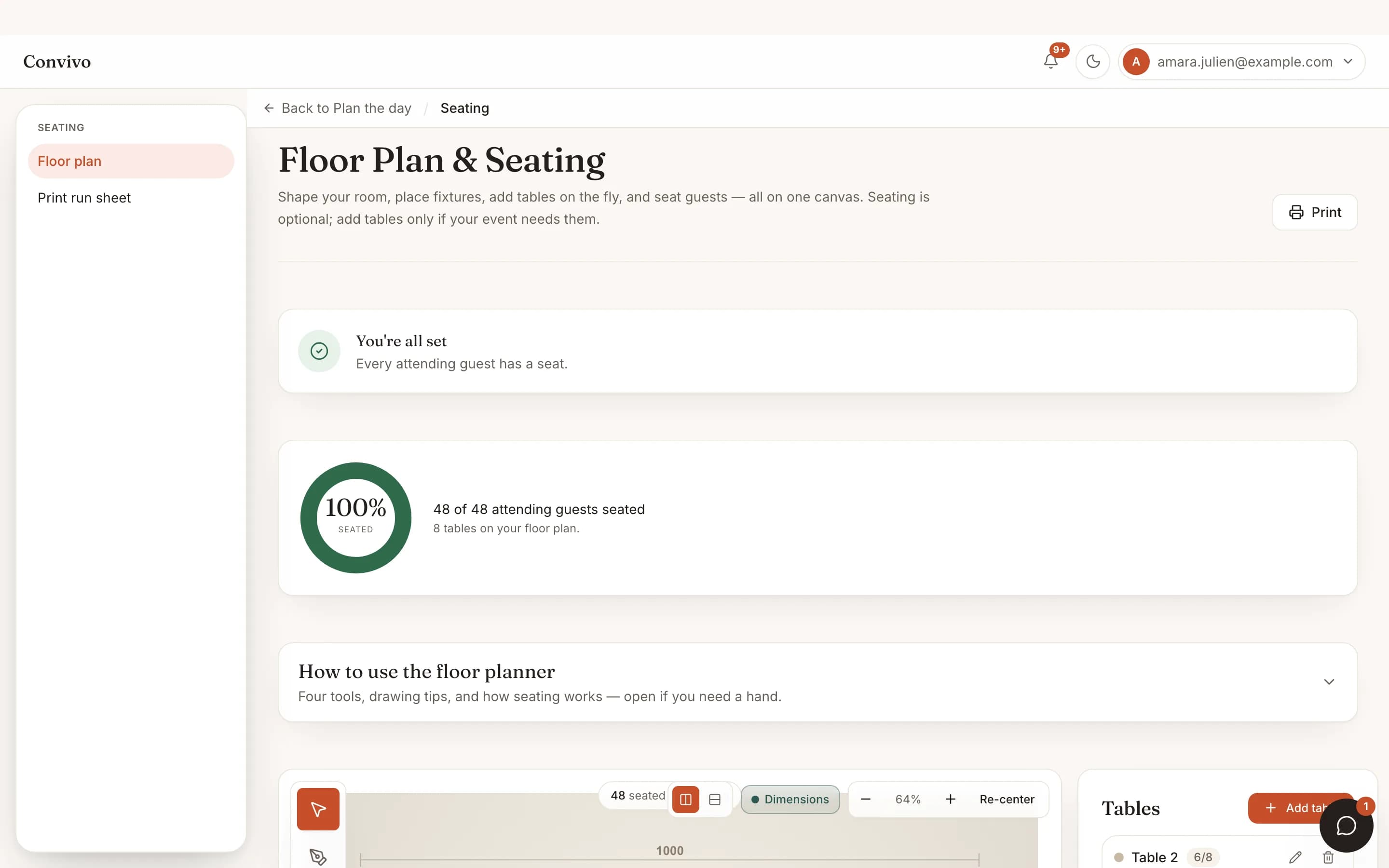
Seating & floor plan
Households you group here stay together when you seat them.
See Seating & floor planThank-you cards
2 of 3 sent- Sent
Aunt Rosa
Stand mixer
- Opened
The Park family
Honeymoon fund, $200
- Draft
Marcus T.
Linen set
Thank-you cards
The same list you built is who you'll be thanking once the gifts come in.
See Thank-you cardsHonest answers
Frequently asked
Can I import a guest list I already have?
Yes. Import a CSV and Convivo builds households from matching addresses and last names, which you can adjust by hand afterward.
Can I export the list back out?
Yes, at any time.
What if two guests share a last name but aren't related?
You can split any household Convivo grouped, or merge two it didn't.
Is there a limit to how many guests I can add?
Limits follow your plan, and we tell you before you hit one.
Ready to put this to work?
Start free, and this exact page fills in with your own event.