
Vendor collaboration
Every vendor, on the same page.
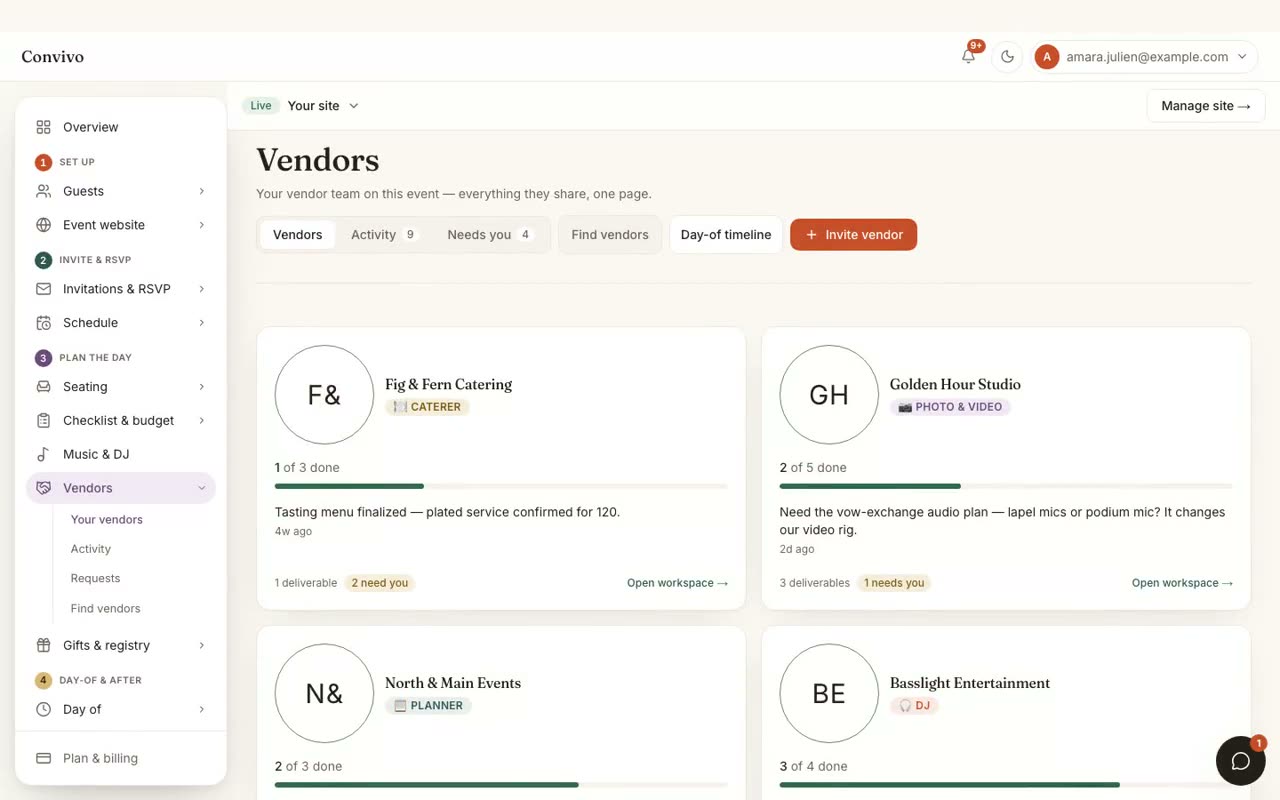
Your DJ, planner, photographer & videographer, caterer, florist and venue each get a portal of their own, and you get one feed of everything they do. They post status updates, send requests you can answer in a tap, and work in tools built for their craft: menus with a dietary matrix, shot lists, proposal boards, playlists.
- One portal for every vendor vertical
- Status updates land in a single shared feed
- Requests you can answer in a tap
- Per-vertical tools: menus & dietary, shot lists, proposals, playlists
In motion
See it in motion
A short, silent capture of the real product. No sound needed.
How it works
Three steps, start to finish.
Invite a vendor
Send a link to your DJ, planner, photographer, caterer, florist or venue. They accept and their portal links to your event.
They work in tools built for their craft
Menus with a dietary matrix, shot lists, proposal boards, playlists: each vertical gets what it actually needs.
You see one feed
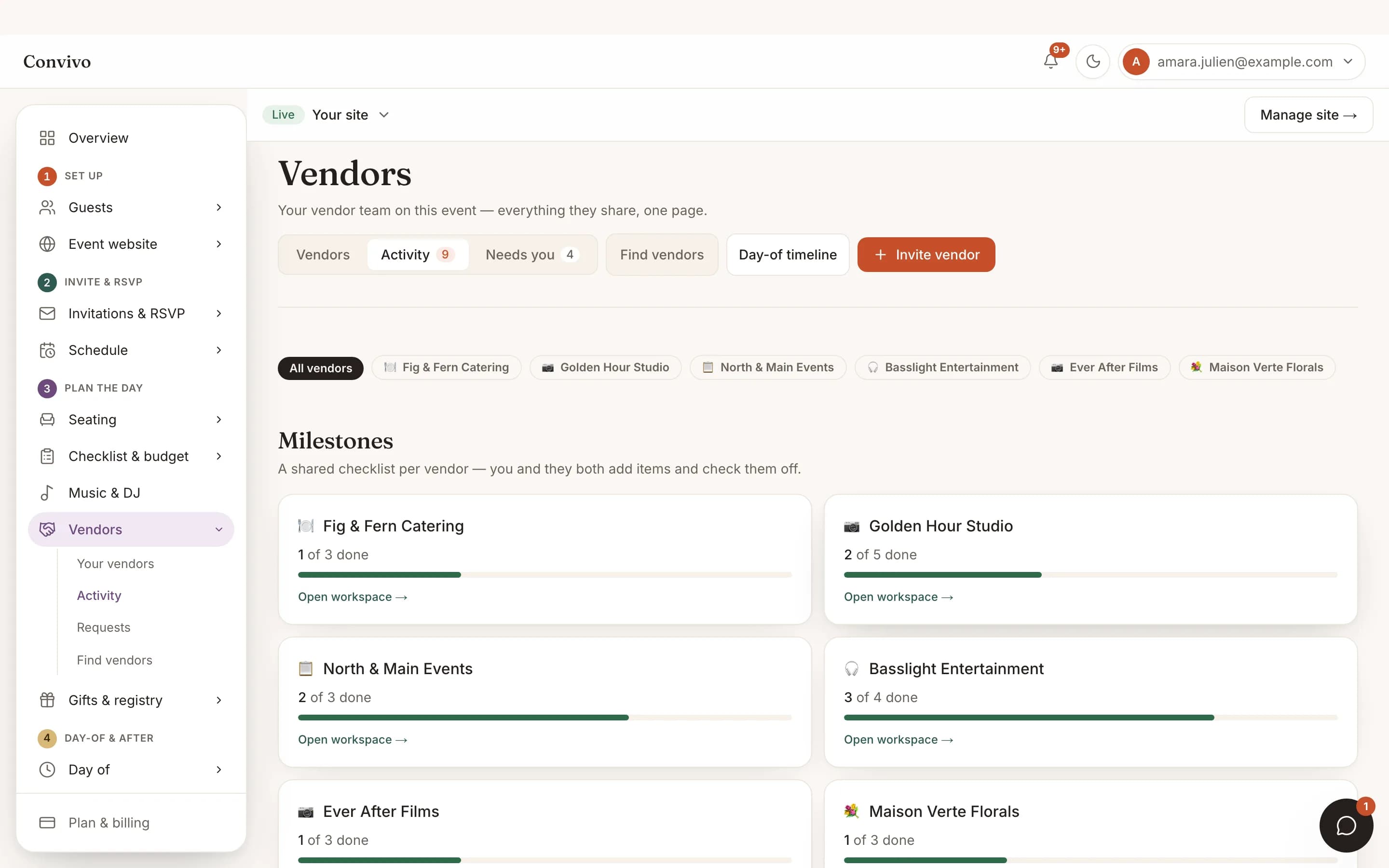
Every update, from every vendor, lands in a single feed instead of six separate inboxes.
Straight from the product
The screen itself, unretouched.
The illustration at the top of this page was built from this exact capture, down to the labels and the counts.
What it connects to
Vendor collaboration does not work alone.
Notifications
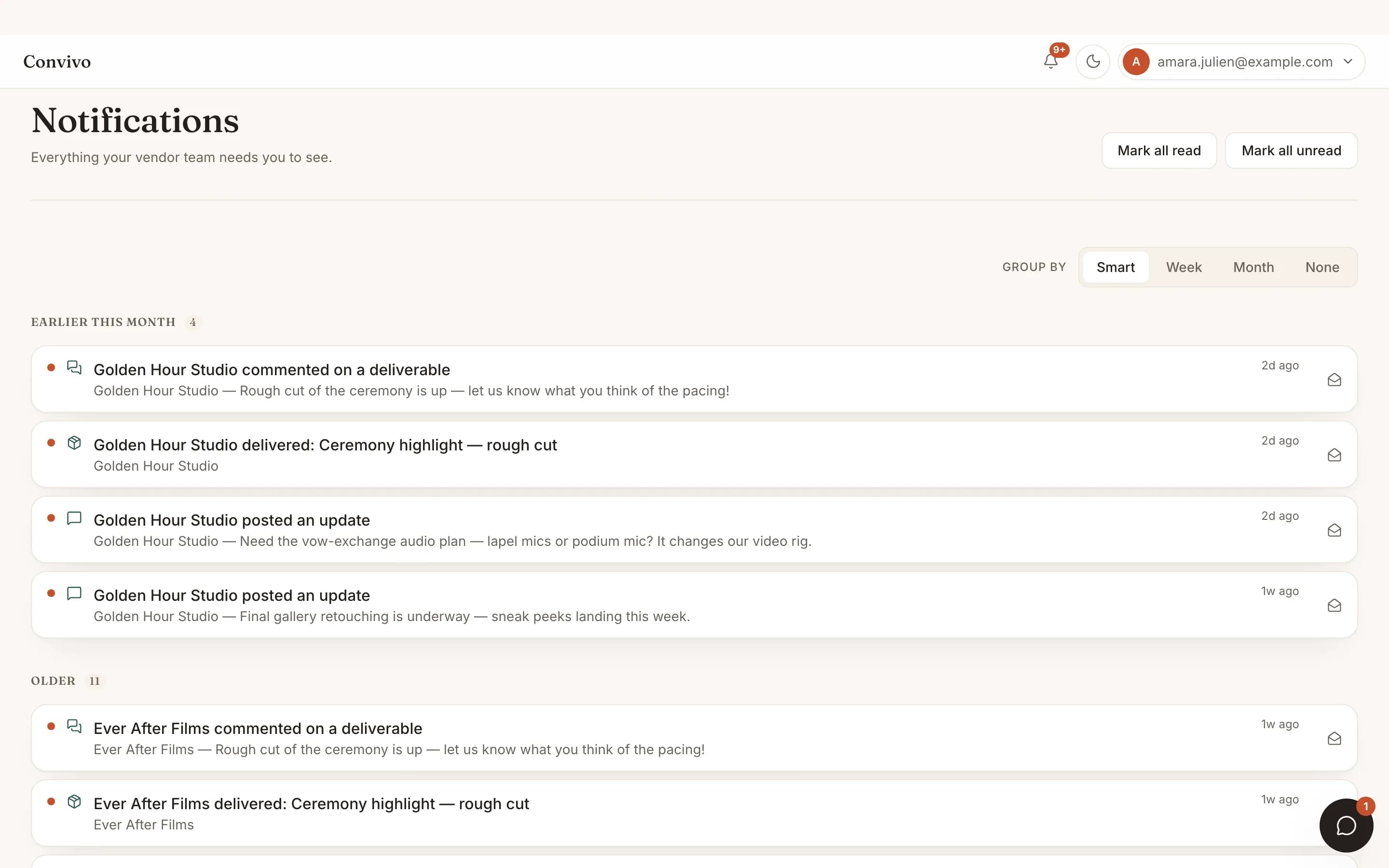
A vendor's update or request shows up in your notification inbox the moment they post it.
See Notifications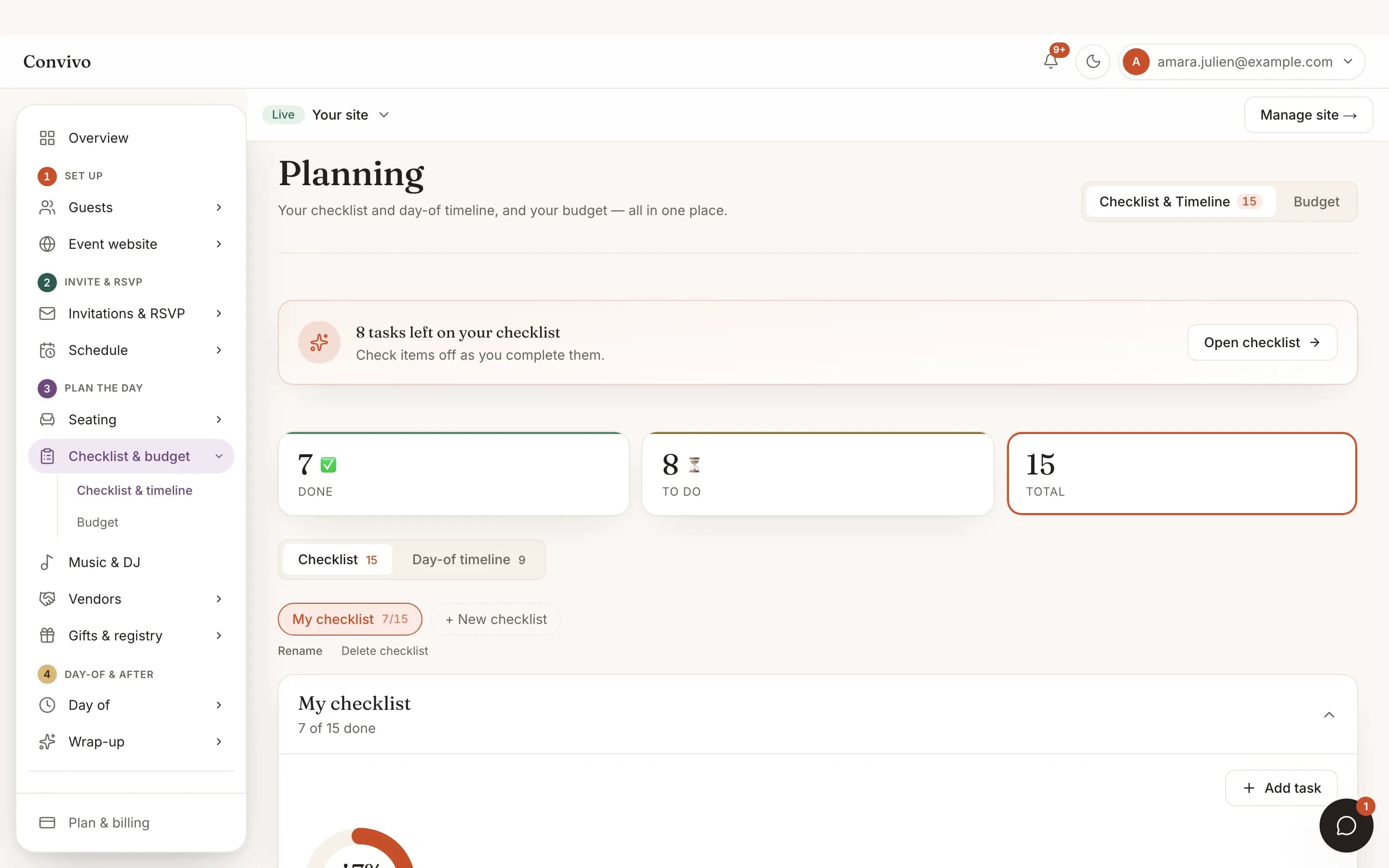
Checklist
Assign a planning task to a vendor and it appears in their portal, not just yours.
See Checklist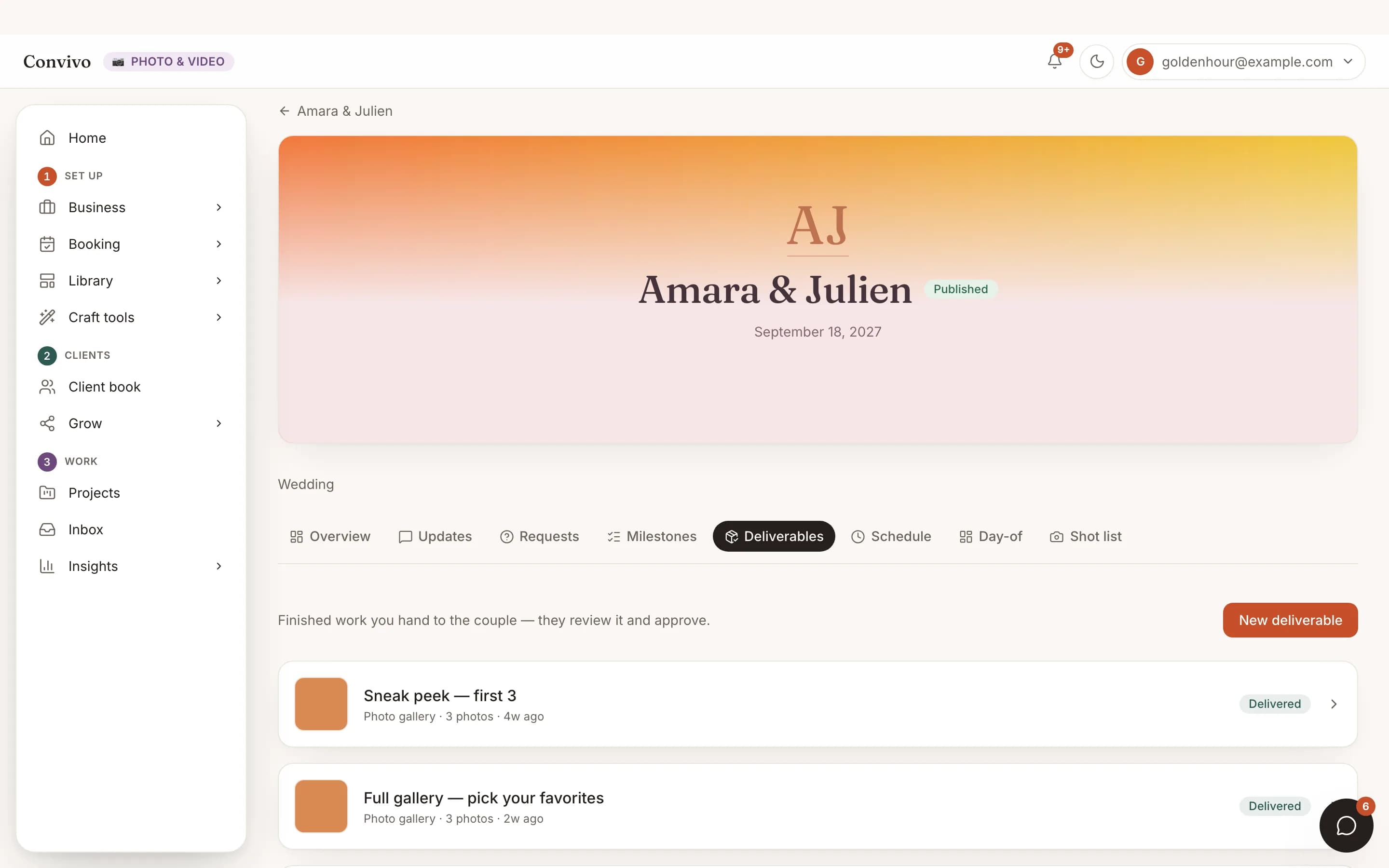
Deliverables
Once a vendor delivers a gallery, video or document, it shows up on your side automatically.
See DeliverablesHonest answers
Frequently asked
How does a vendor join my event?
You send them an invite link. Once they accept, their portal is linked to your event.
Do all vendors see the same tools?
No. Each craft gets tools built for it: a dietary matrix for caterers, shot lists for photographers, proposal boards for florists, playlists for DJs.
Can I answer a vendor's request from my phone?
Yes. Requests land in your notification inbox and can be answered in a tap.
What if a vendor isn't on Convivo yet?
You invite them the same way; they create a portal when they accept.
Ready to put this to work?
Start free, and this exact page fills in with your own event.