
For florists
Proposals they can actually see.
Share proposal boards with real photos, the arch, the centerpieces, the bouquet, right on the same event your client already sees the rest of their planning in. Build up to ten boards per event, each stocked with photos and notes, so every arrangement is tracked from first sketch to the day itself.
- Proposal boards with real photos, not a separate mood-board link
- Up to 10 boards per event, one per arrangement
- Visible in your client's own dashboard the moment you save
Straight from the product
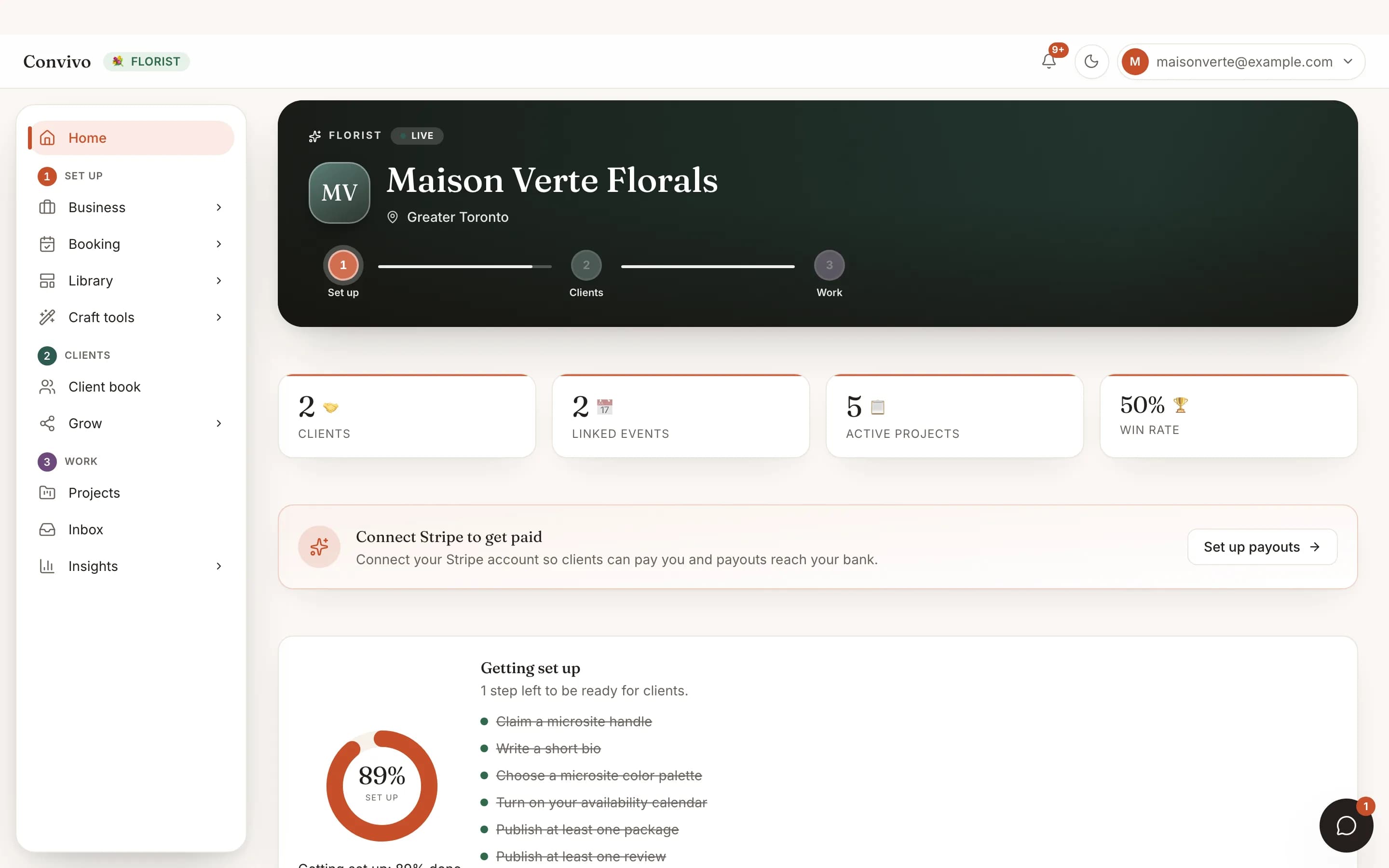
The screen itself, unretouched.
The illustration at the top of this page was built from this exact capture, down to the labels and the counts.
How it works
Booked to briefed in three steps.
Start a board
Name it after the arrangement, the ceremony arch, the centerpieces, the bouquet, and add photos and notes as the concept forms.
Share it with your client
The board appears in their event dashboard the moment you share it; no separate link to a mood-board tool.
Track it to the day
Keep adding photos and notes as a design firms up, so the final look is documented, not just the first pitch.
Built for this craft
Your real toolkit.
Not a generic client list. Here is exactly what this vertical opens, and whether you edit it or read it.
Proposals
You editPhoto-and-note boards, up to 10 per event, one per arrangement.
Works alongside
It does not stop at this one tool.
Honest answers
Frequently asked
How many proposal boards can I make?
Up to 10 per event, enough for every distinct arrangement without one board becoming an endless scroll.
Can my client see a board without an account?
No. They see it in their own Convivo event dashboard, the same place they see everything else you share.
Is this the only vertical-specific tool for florists?
It's the one. Updates, milestones, the shared day-of timeline and deliverables work the same way they do for every craft.
Ready to bring your clients?
Start free, and this exact portal fills in with your own bookings.
Other crafts