
Reviews
Real reviews, approved before they go live.
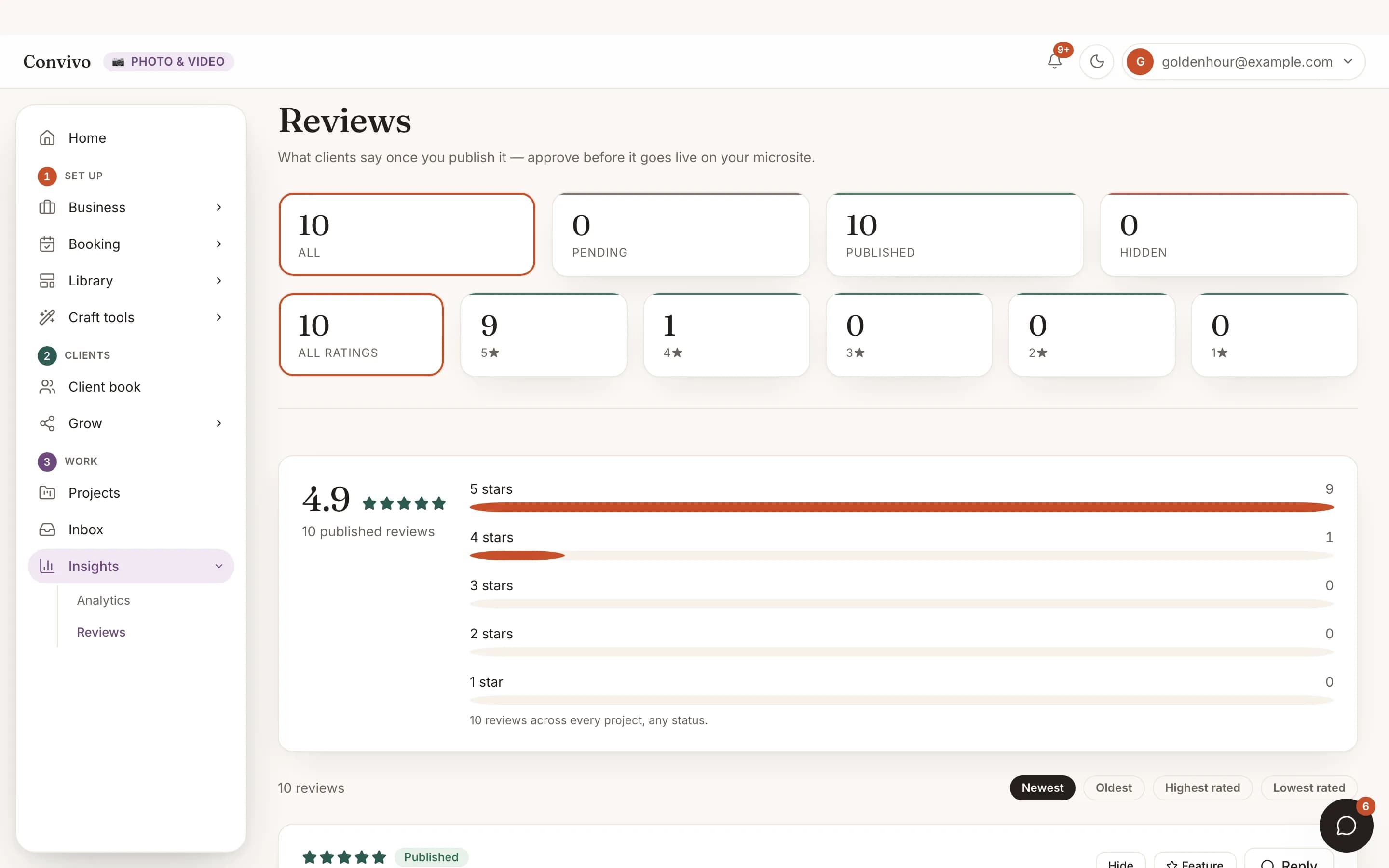
Share your client portal link on a delivered project and reviews land here for you to approve. Nothing publishes to your microsite until you say so.
- Collect reviews from delivered projects
- Approve before anything goes live
- Star rating distribution at a glance
How it works
Three steps, start to finish.
Ask after delivery
Share your client portal link once a project is delivered.
Reviews land for your approval
Nothing appears on your microsite until you've seen and approved it.
Approved reviews go live
Once approved, a review shows on your public microsite alongside your rating distribution.
Straight from the product
The screen itself, unretouched.
The illustration at the top of this page was built from this exact capture, down to the labels and the counts.
What it connects to
Reviews does not work alone.
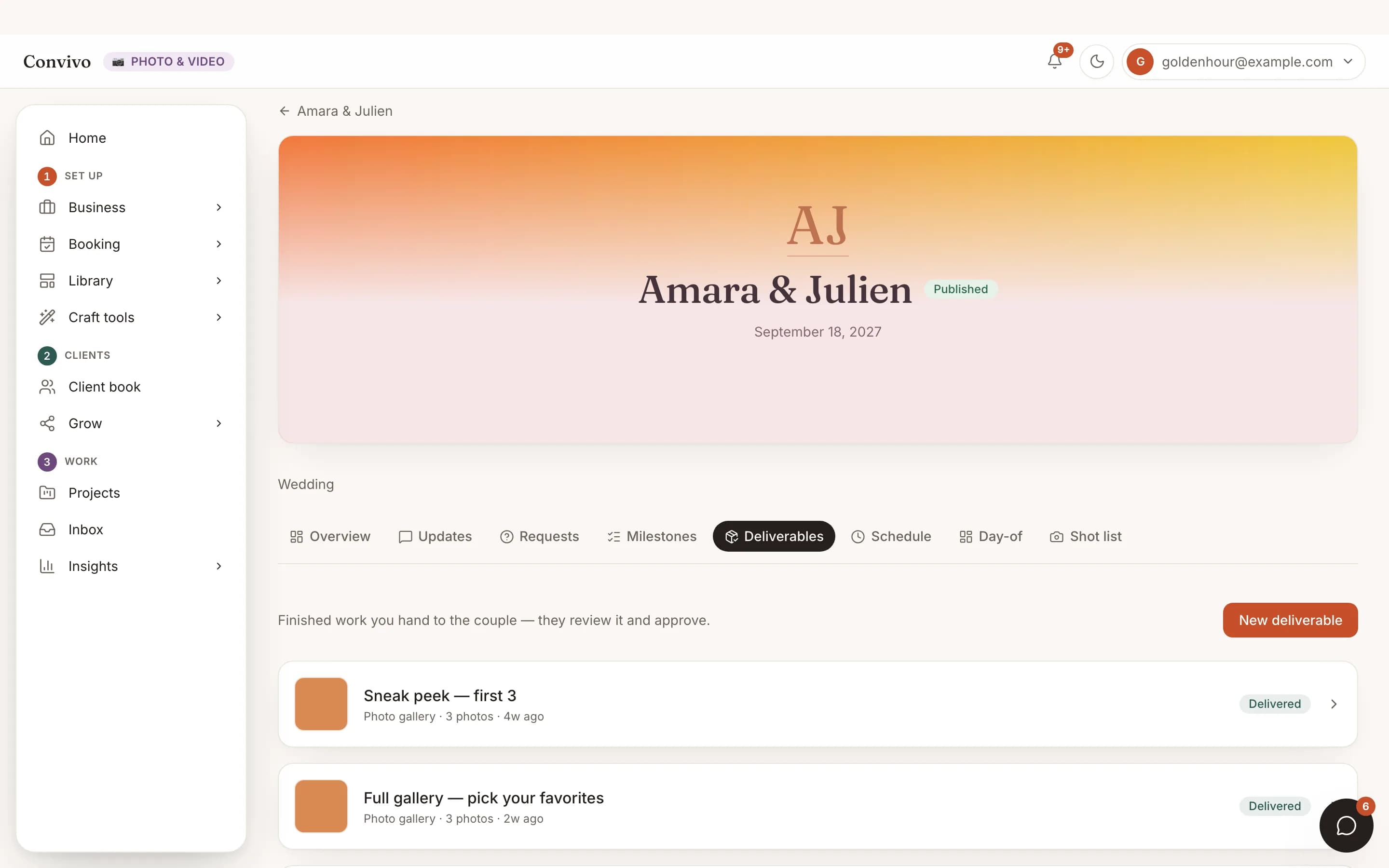
Deliverables
A delivered project is the natural moment to ask a client for a review.
See Deliverables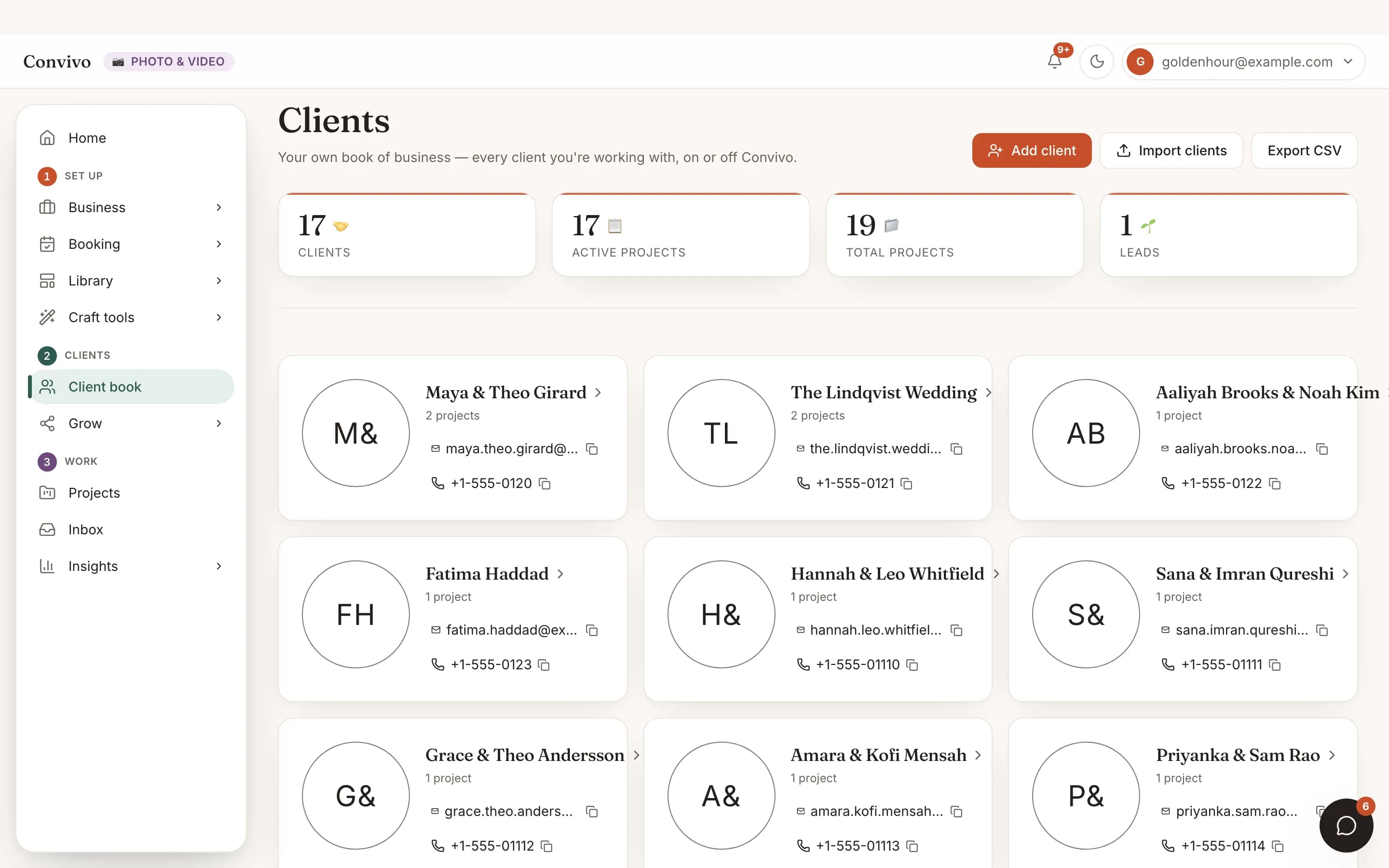
Client CRM
See which client a review belongs to without leaving their card.
See Client CRMInvoice
Partially paid- Deposit$500
- Balance, due Sep 1$1,200
Invoicing & payments
A paid, delivered project is usually the right time to ask.
See Invoicing & paymentsHonest answers
Frequently asked
Can a bad review go live automatically?
No. Every review is approved by you before it appears anywhere public.
Can I reply to a review?
Yes, a reply can be added or edited at any time.
Where do approved reviews show up?
On your public microsite, alongside your star rating distribution.
How do clients leave a review?
Through their client portal link on a delivered project; no separate account needed.
Ready to put this to work?
Start free, and this exact page fills in with your own event.